Your family's week on one screen.

Spoodr Hub shows your calendars, dinner plan, chores and lists in one place. Put it on a wall display, a tablet or a computer. Everyone adds things from their phone.

We will never sell your email.

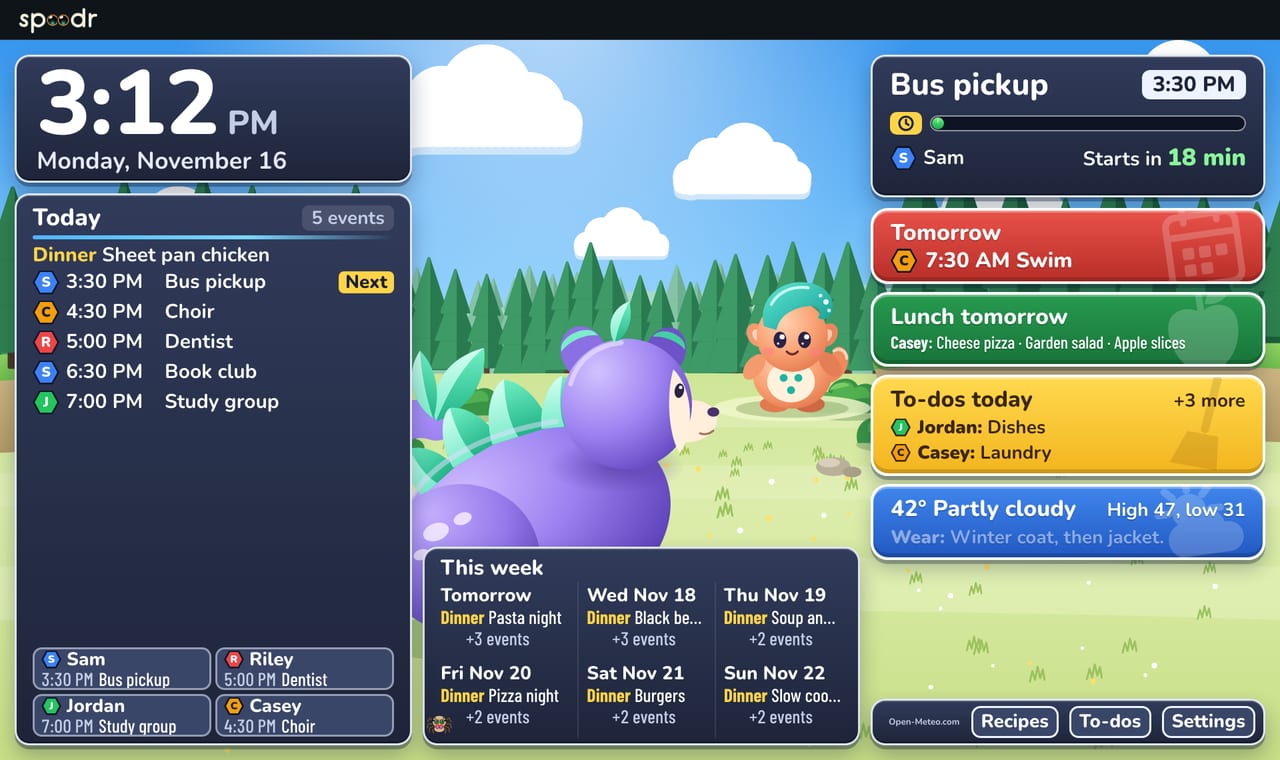
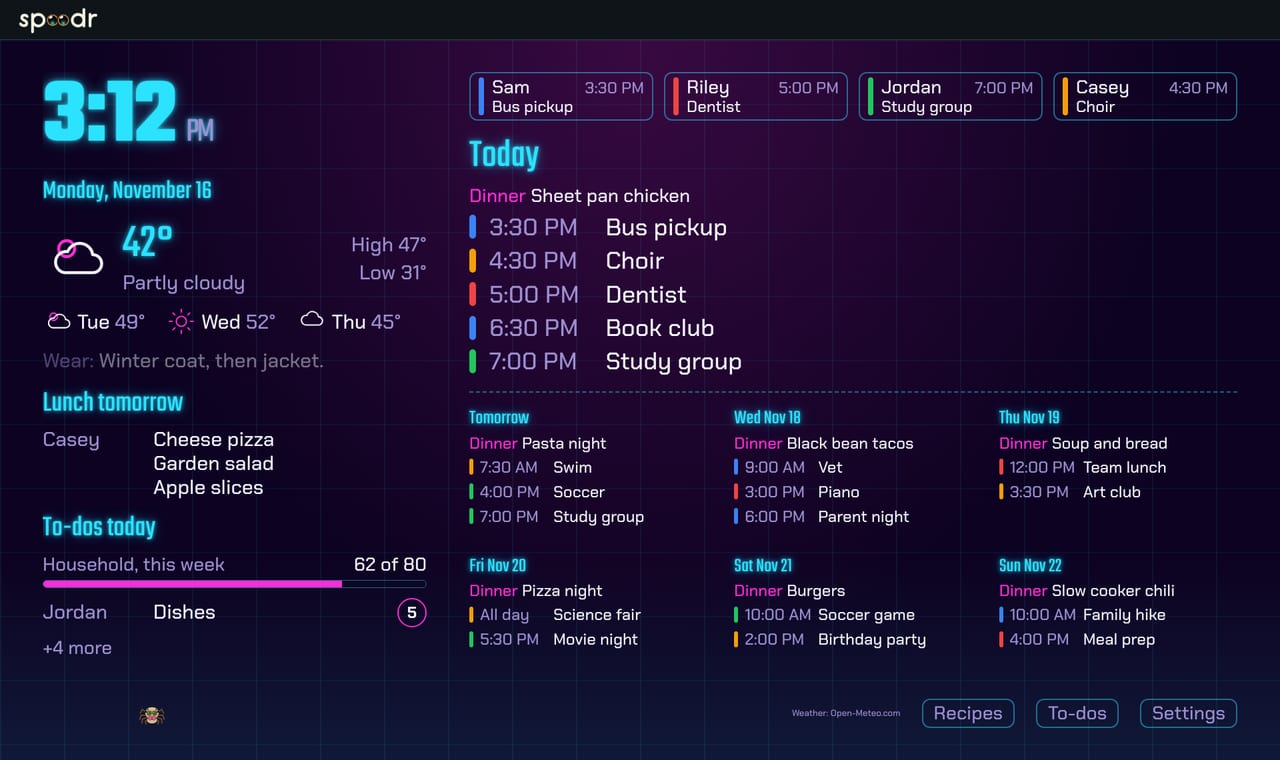
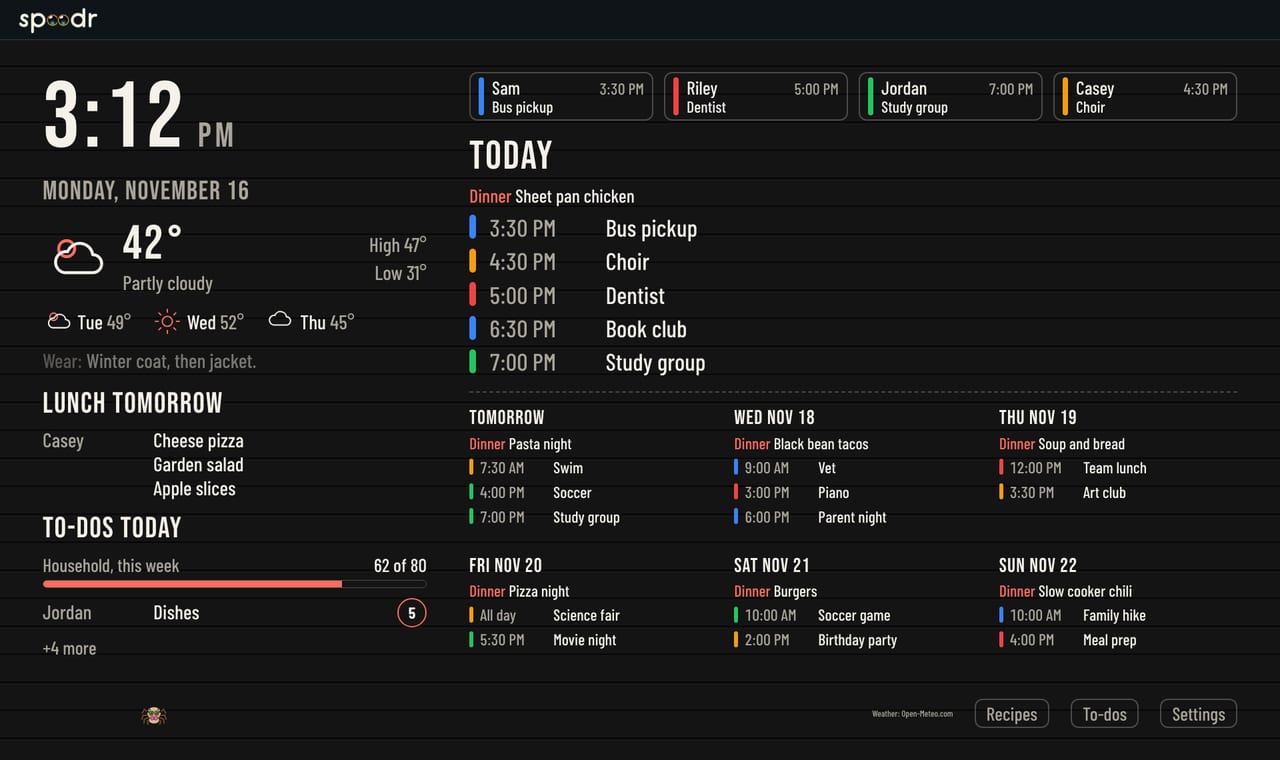
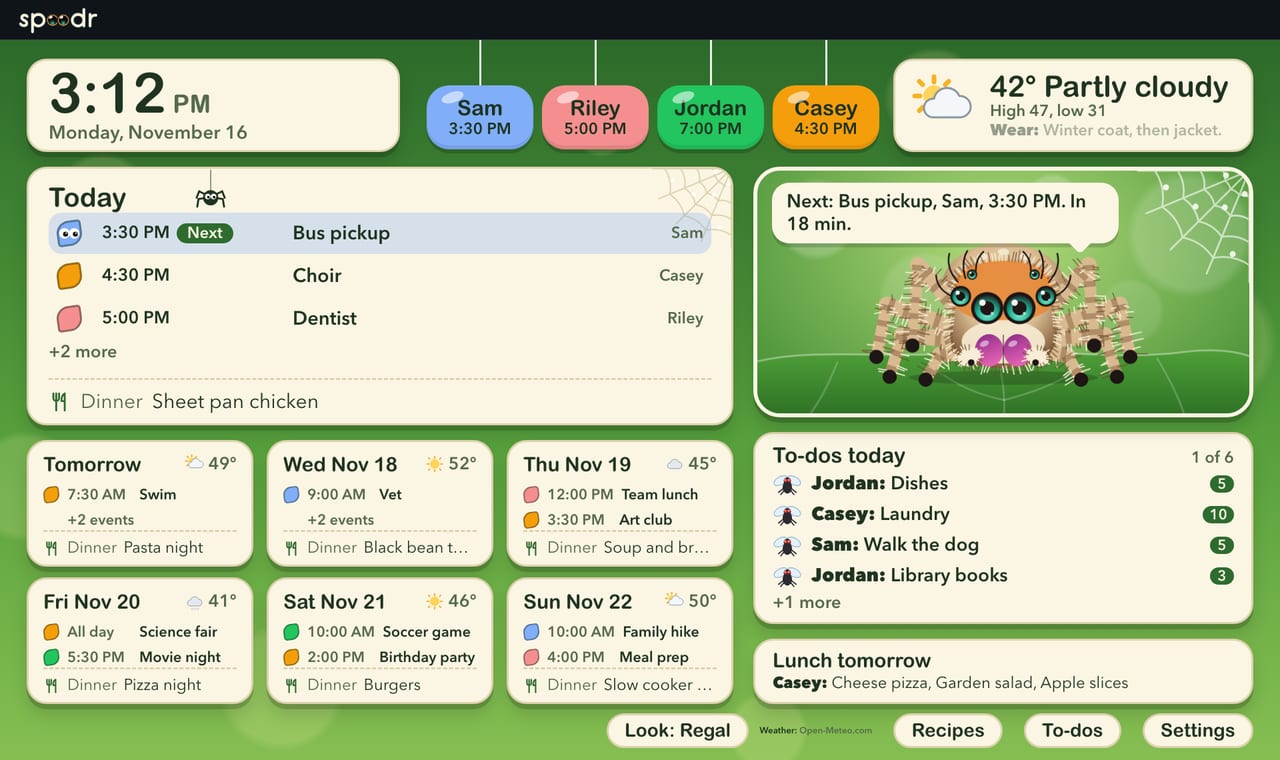
The Jumping Spider look on the wall, showing today's events, dinner and chores.
Jumping Spider
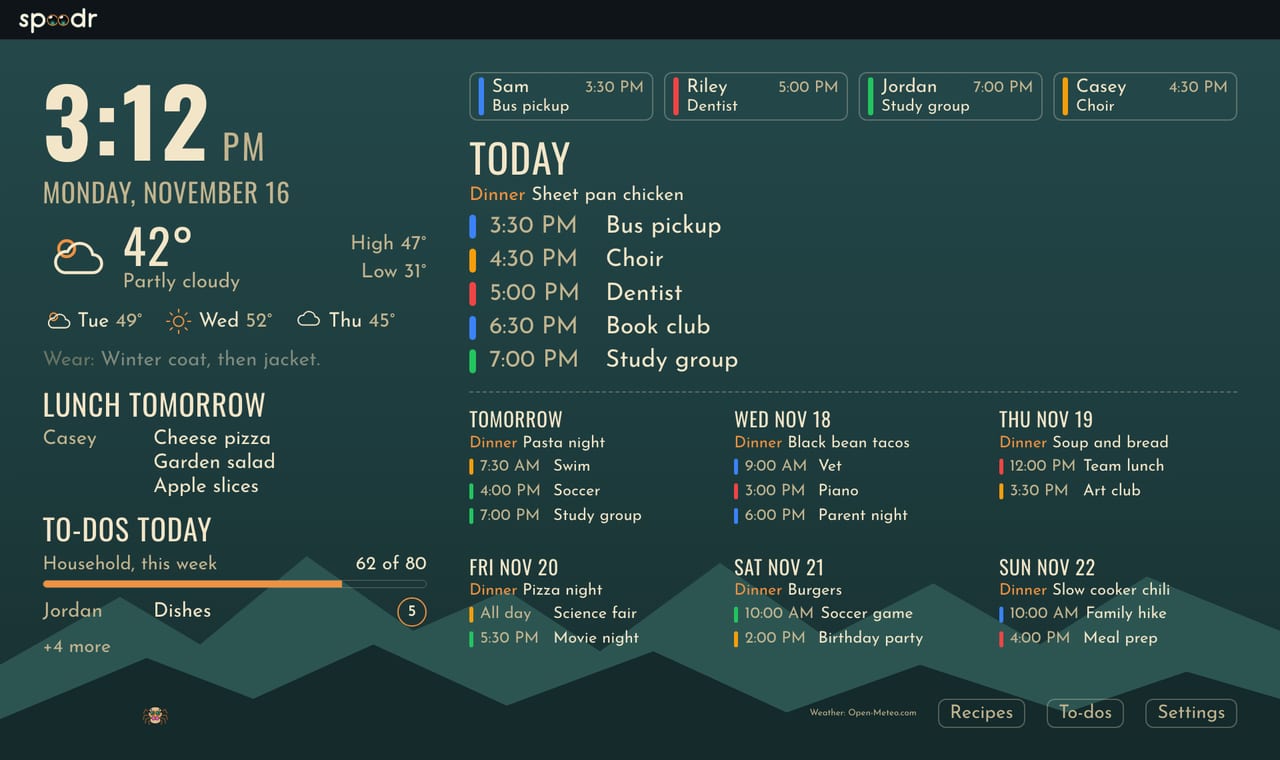
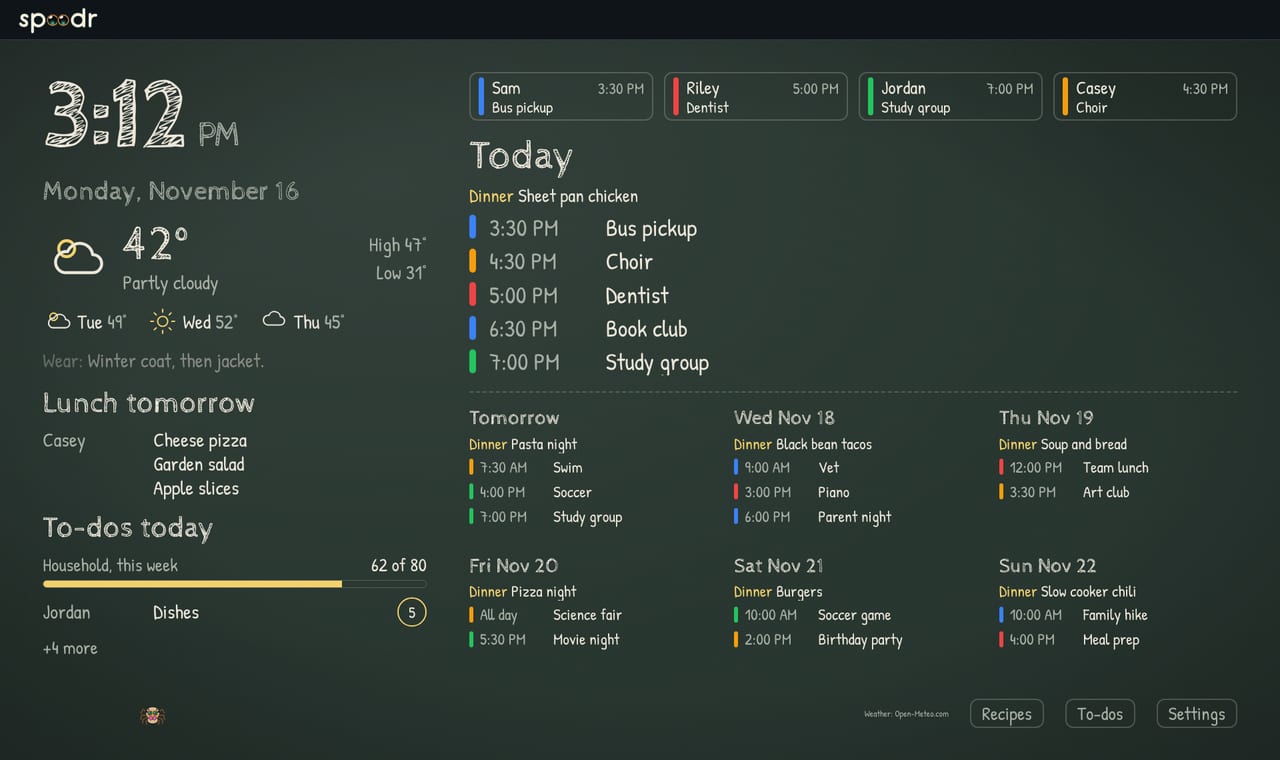
The Chalkboard look on the wall, showing today's events, dinner and chores.
Chalkboard

What you see on the screen.

Your calendars

Connect Google calendars or add any calendar link from Apple, Outlook or a school. Each person gets a color. An adult can forward an email or upload a photo of a flyer. An adult reviews the events it finds before any are added. The wall can also show birthdays, the school lunch menu, trash and recycling day, weather and weather alerts.

Dinner plan

Kids and adults can request a meal. An adult picks the recipe and the day. The dinner then shows on the wall. Recipes import from a web page. A meal with a recipe gets an ingredient checklist.

Chores and to-dos

Chores earn points. A points goal can run for a day, a week, a month or a year. To-dos can repeat on a schedule. The person a to-do is assigned to can set a reminder. A phone notification delivers it when notifications are on.

Notes and lists

Leave a note for the family and it shows on the wall. Keep wish lists. Keep gift ideas that the person they are for never sees.

Pick one for us

Kids and adults add ideas for movies, restaurants, vacations and more. They vote on the ideas. Let the app pick one. An adult puts the winner on the calendar. A history keeps what you did.

Privacy

One tap on your phone hides the parts of the wall an adult chose. Use it when guests come. Put #guests in a calendar event and the wall turns privacy on from 30 minutes before a timed event starts until an hour after it ends.

Three steps.

1

Connect your calendars

Connect Google Calendar and pick the calendars to show. Or add a calendar link.

2

Put it on a screen

Open Spoodr Hub in a browser on a computer, a tablet or a wall display. An adult pairs the screen with a code. The screen dims at night.

3

Add things from anywhere

Add things on your phone. An adult can forward an email.

On your phone and your computer.

Adults and kids add things from a phone in a browser. Adults can also manage the household from a computer.

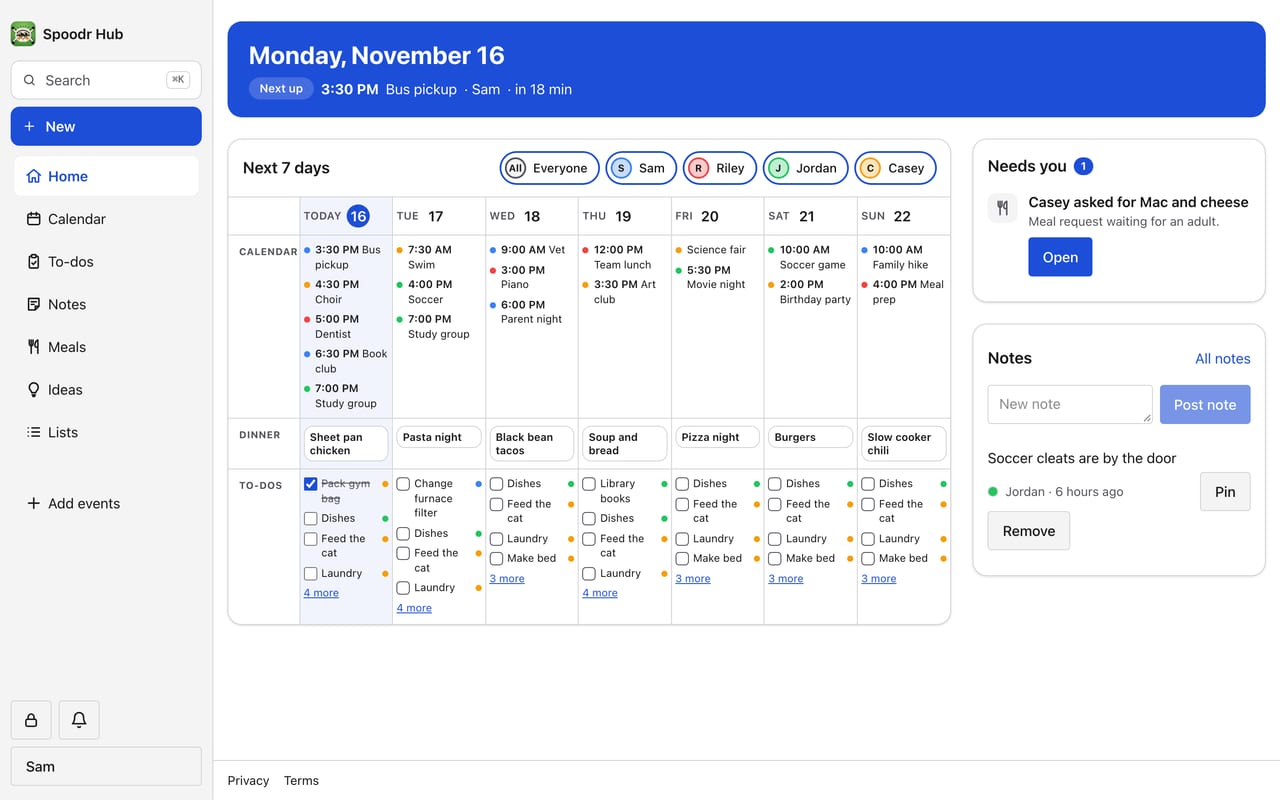
Spoodr Hub on a computer. The Home page shows the next event, a seven day planner of calendar events, dinners and to-dos, and a list of what needs an adult.
On a computer
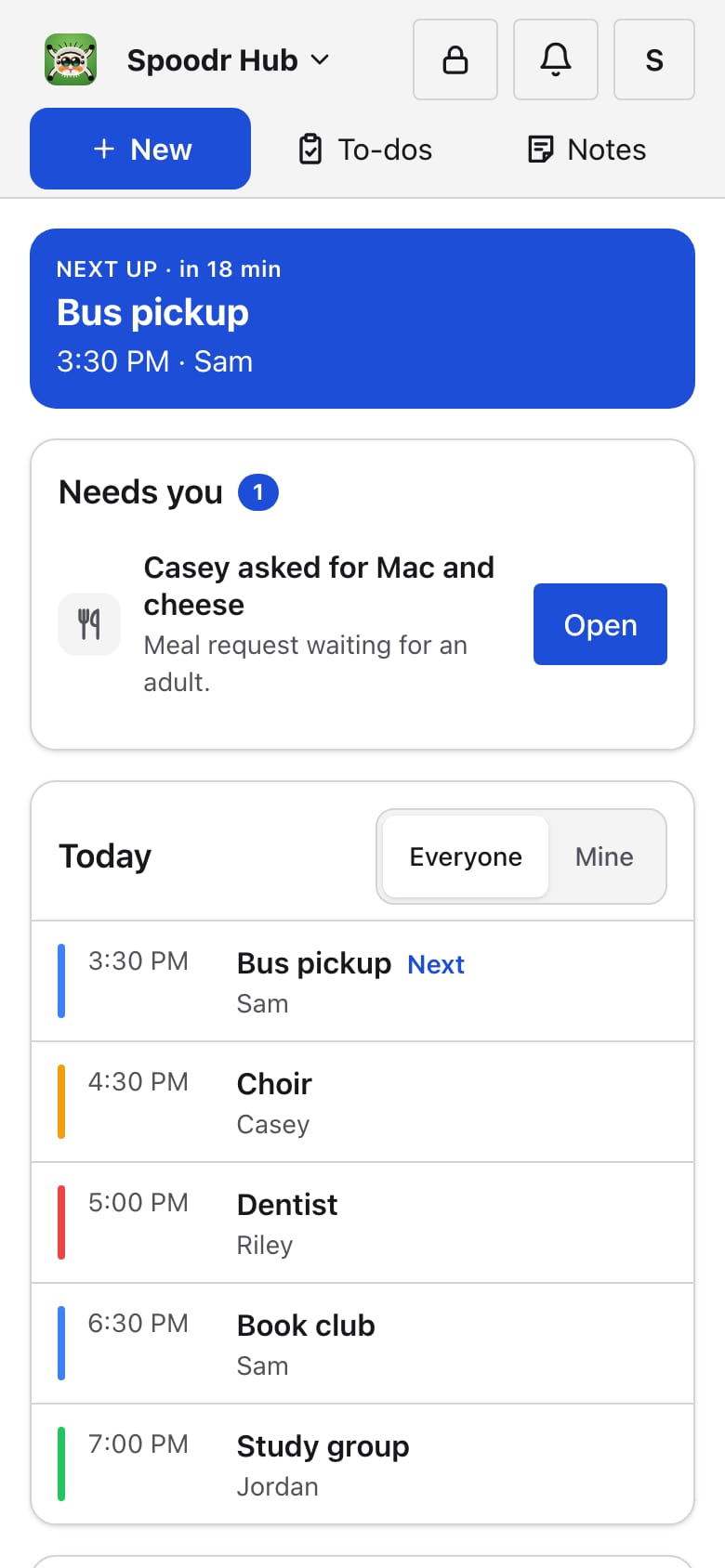
Spoodr Hub on a phone. The Home page shows the next event, what needs an adult and the events of today.
Today
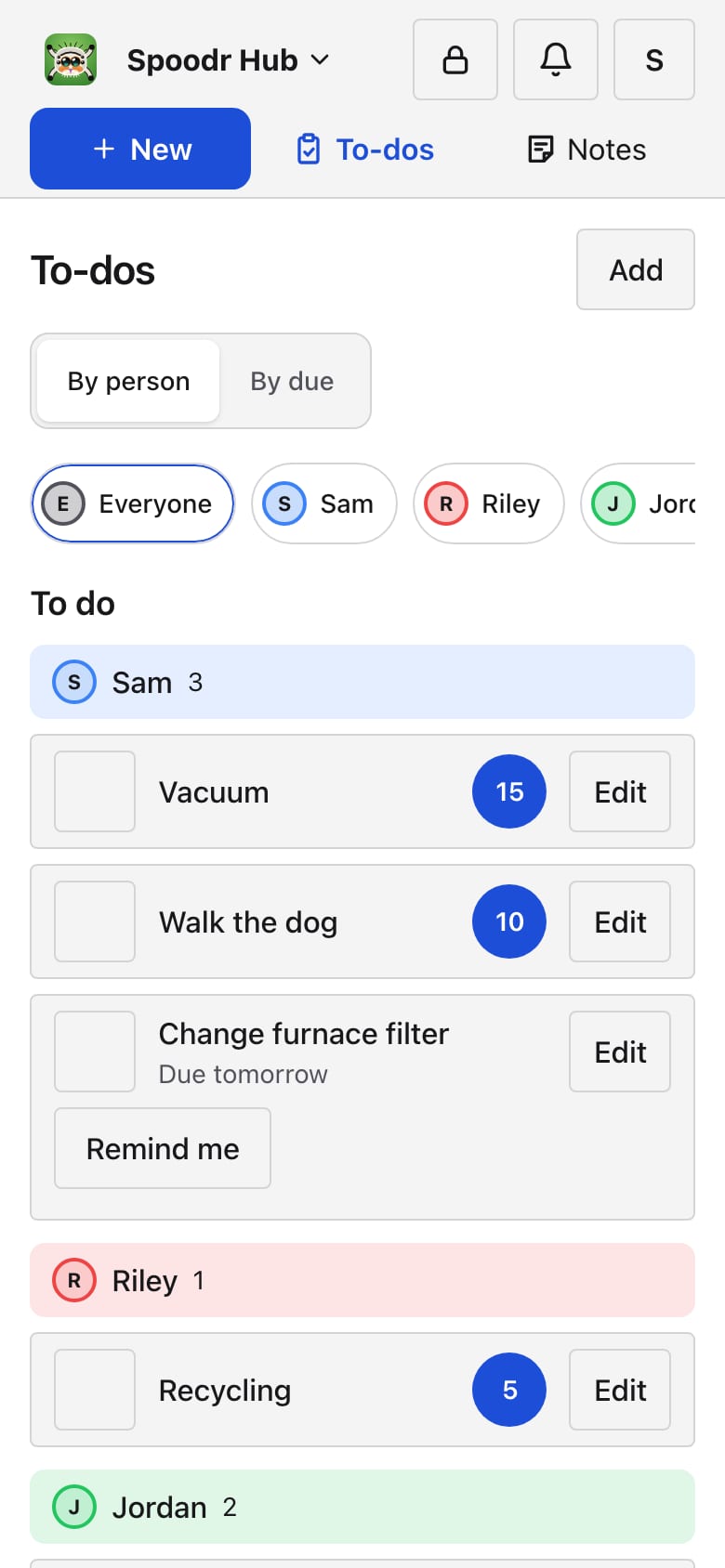
Spoodr Hub on a phone. The To-dos page lists the open chores and to-dos of each person, with the points of each chore.
Chores and to-dos
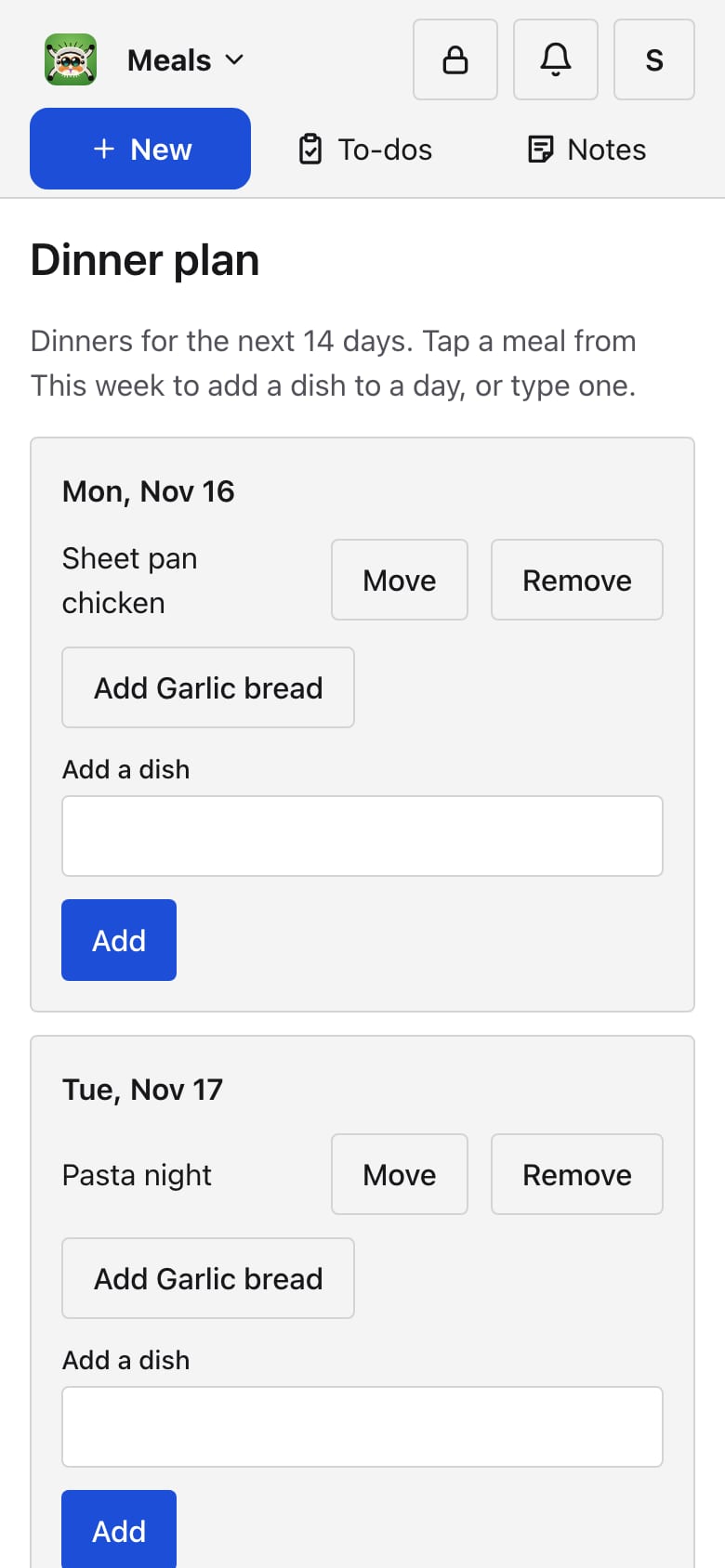
Spoodr Hub on a phone. The Dinner plan page lists the dinner for each day, with buttons to move or remove a dinner and a field to add a dish.
Dinner plan

18 looks for the wall.

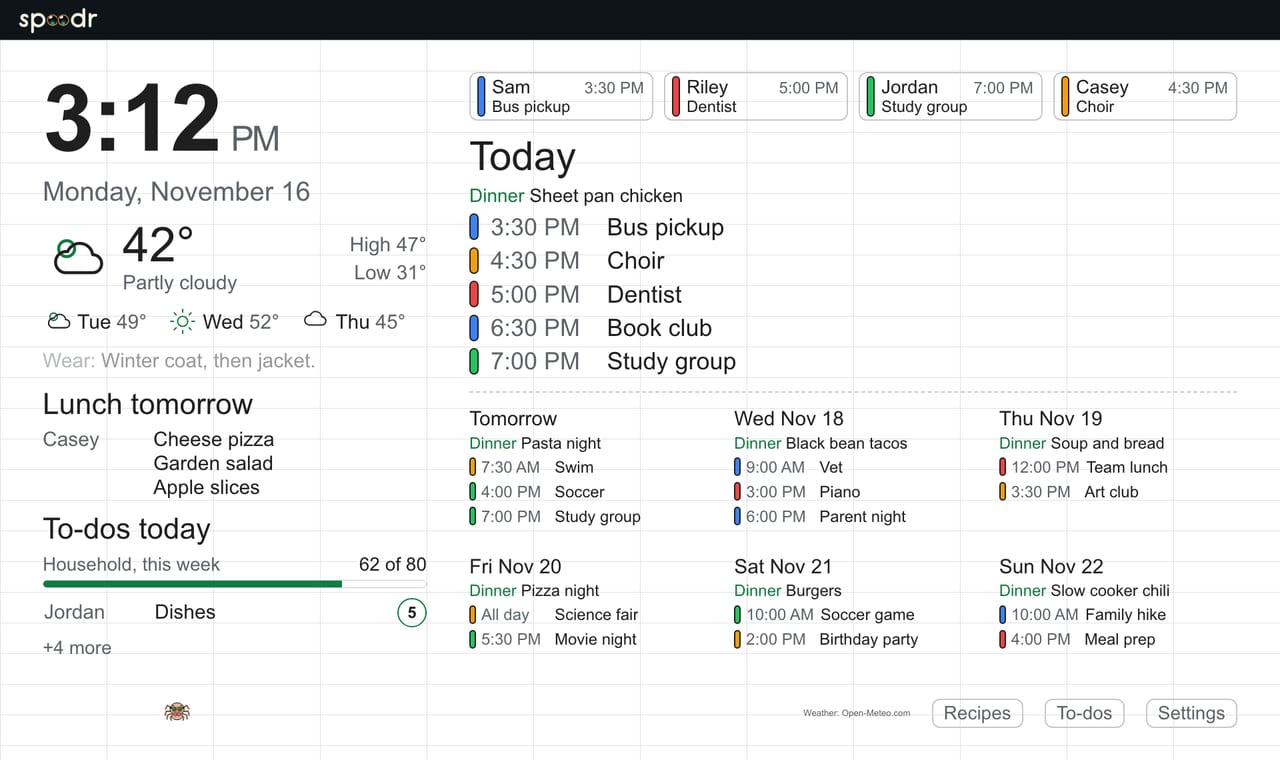
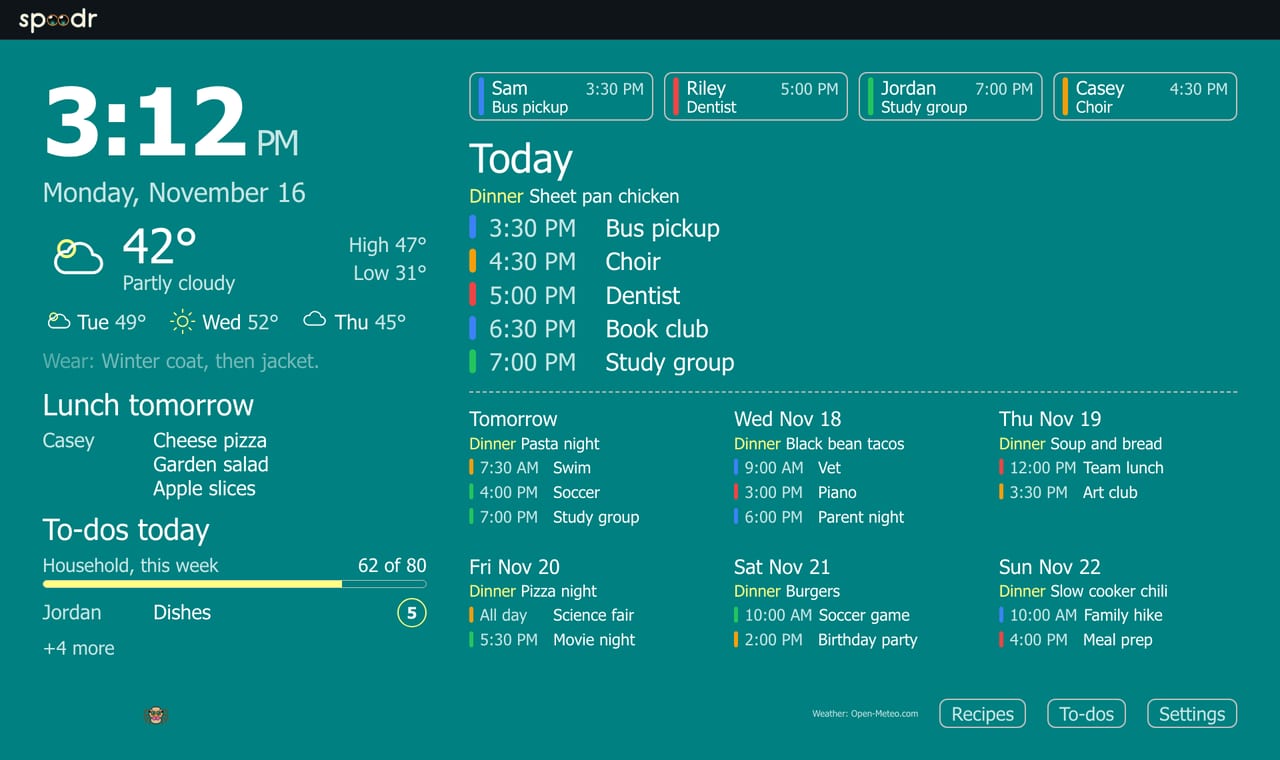
Pick a look for the household. Change it any time. Every look shows the calendar, dinner and chores. Jumping Spider and Chalkboard are at the top of the page.

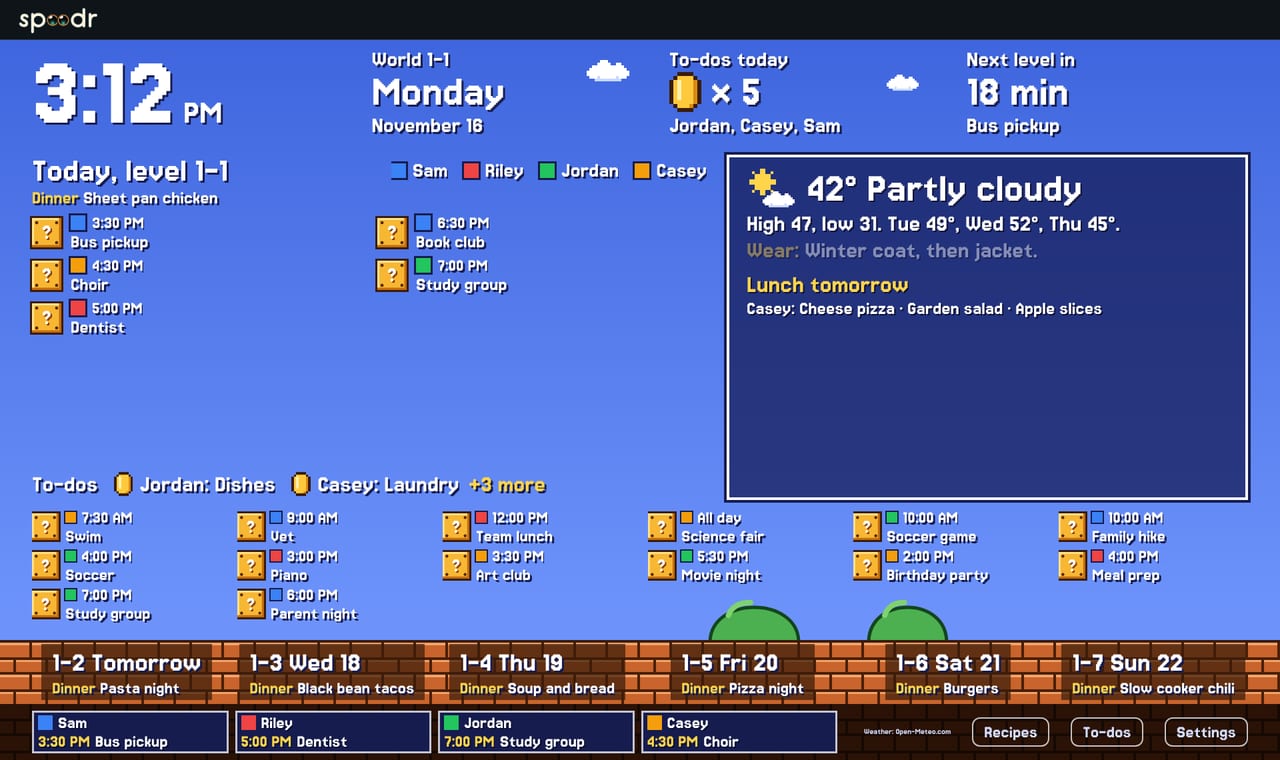
The Plumber look on the wall, showing today's events, dinner and chores.
Plumber
The Monster Battle look on the wall, showing today's events, dinner and chores.
Monster Battle
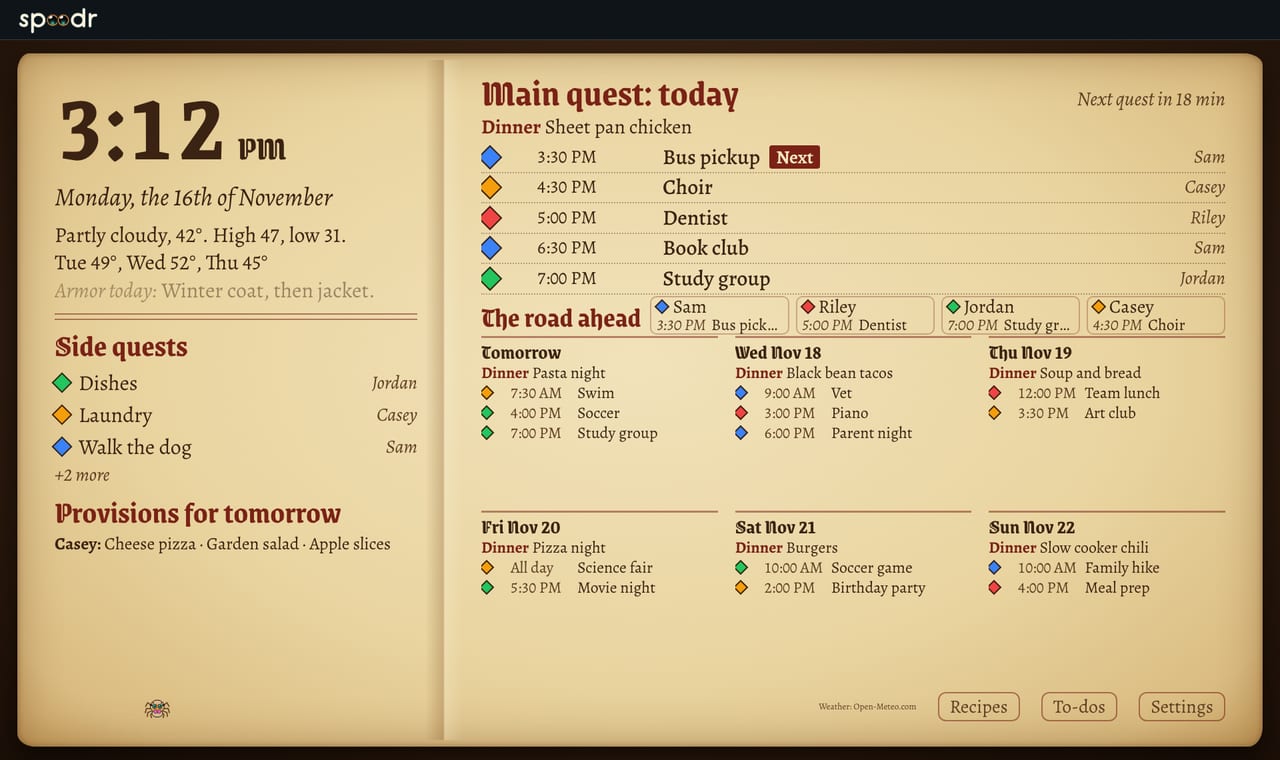
The Quest Log look on the wall, showing today's events, dinner and chores.
Quest Log
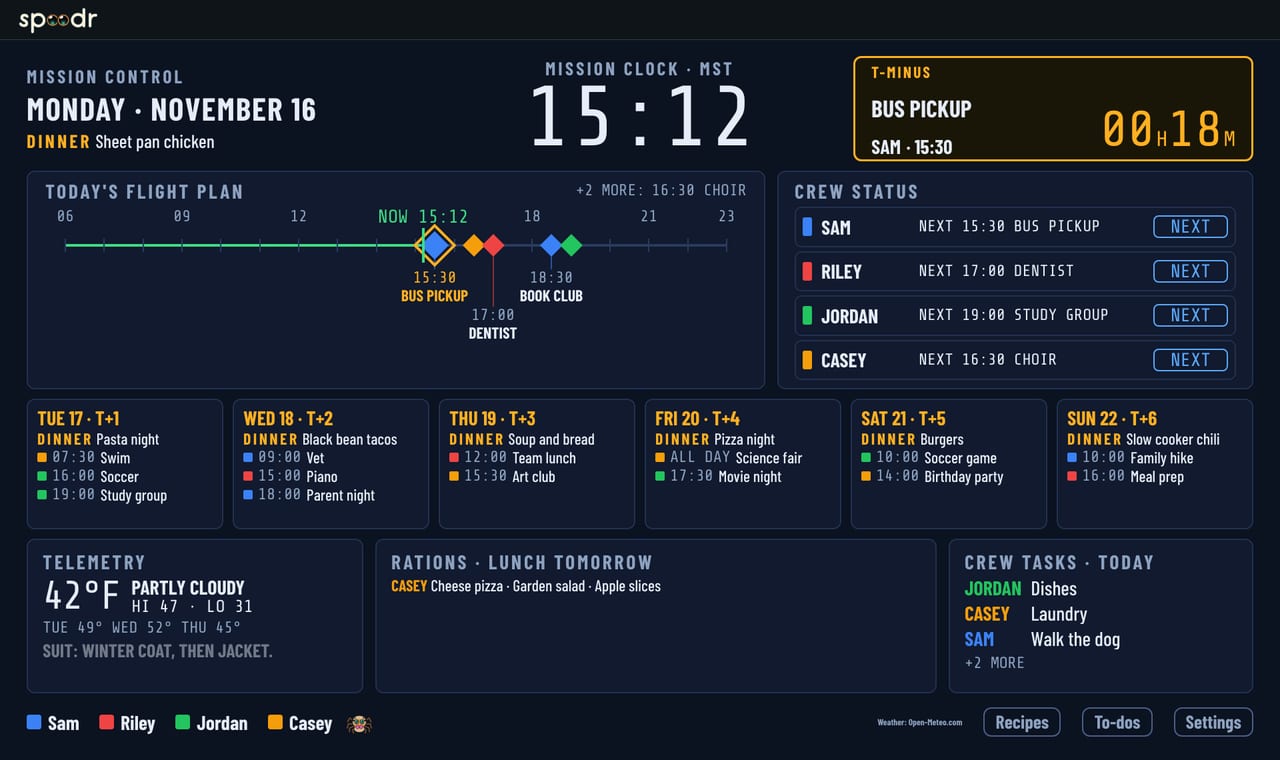
The Mission Control look on the wall, showing today's events, dinner and chores.
Mission Control
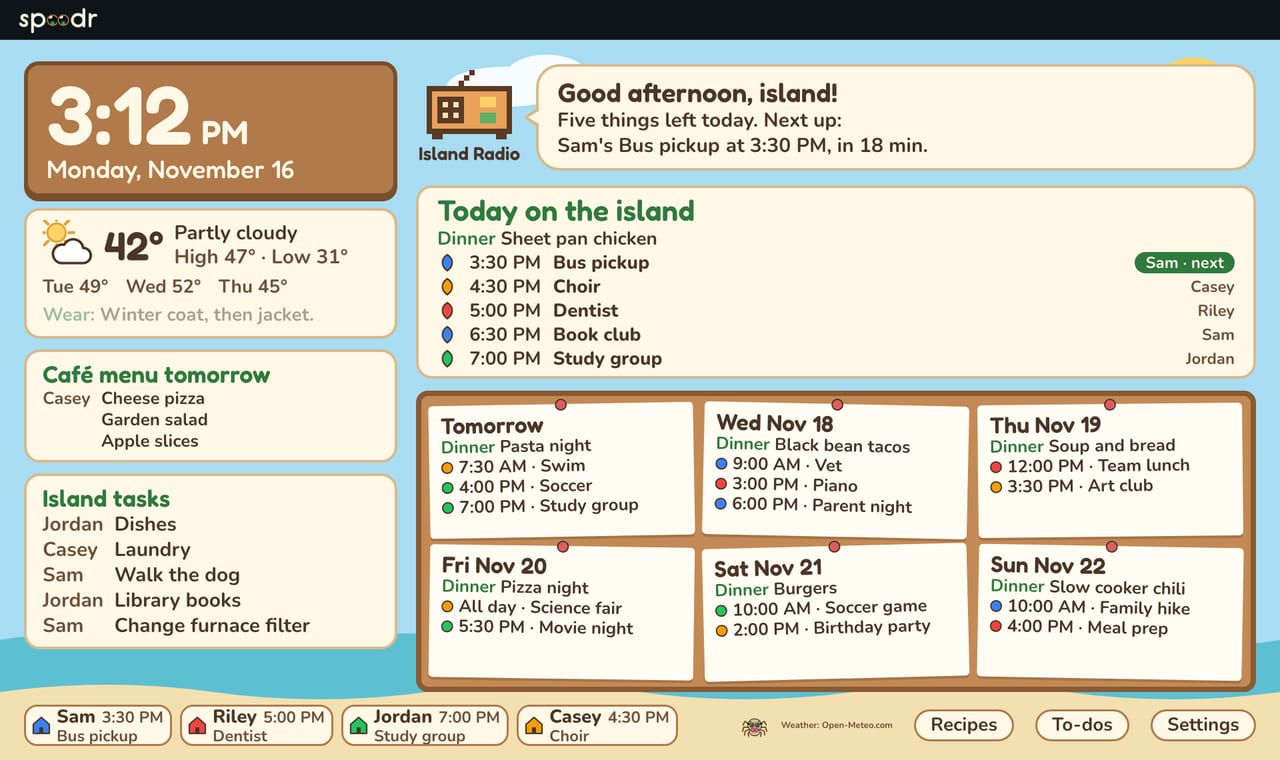
The Island Life look on the wall, showing today's events, dinner and chores.
Island Life
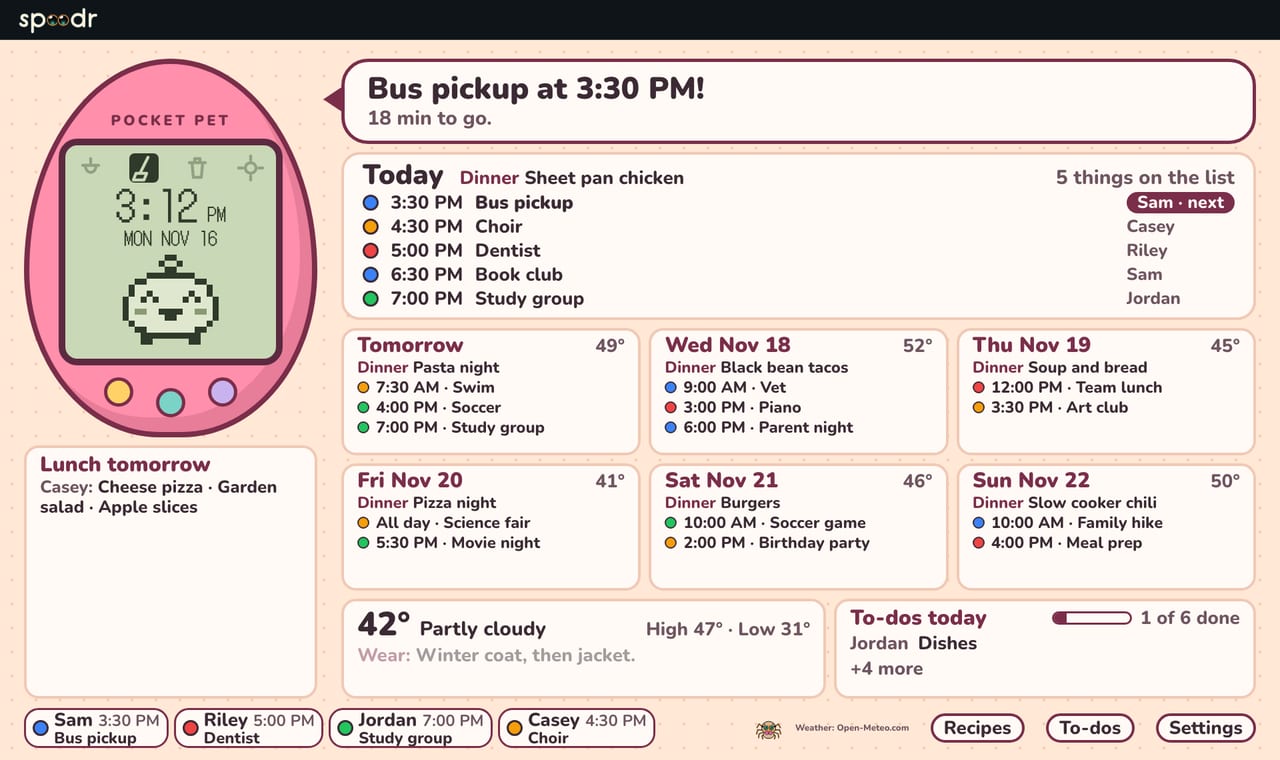
The Pocket Pet look on the wall, showing today's events, dinner and chores.
Pocket Pet
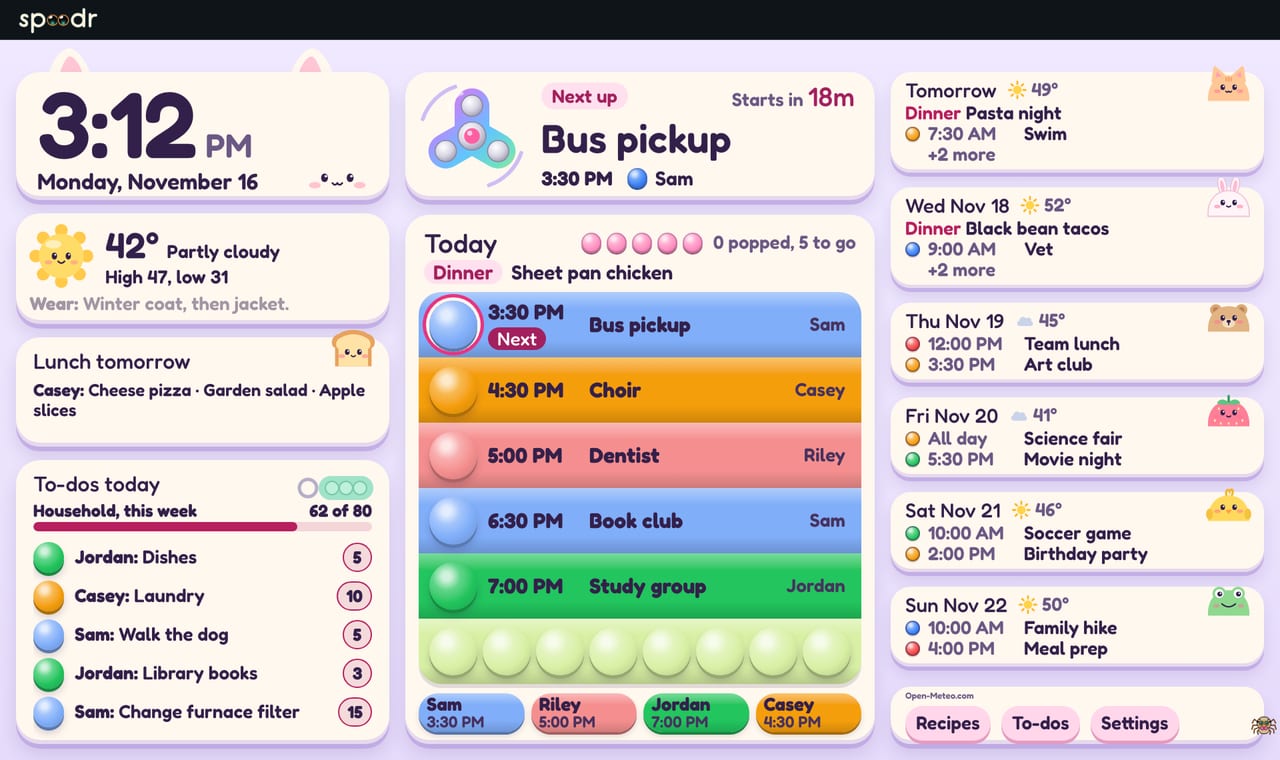
The Fidget Mode look on the wall, showing today's events, dinner and chores.
Fidget Mode
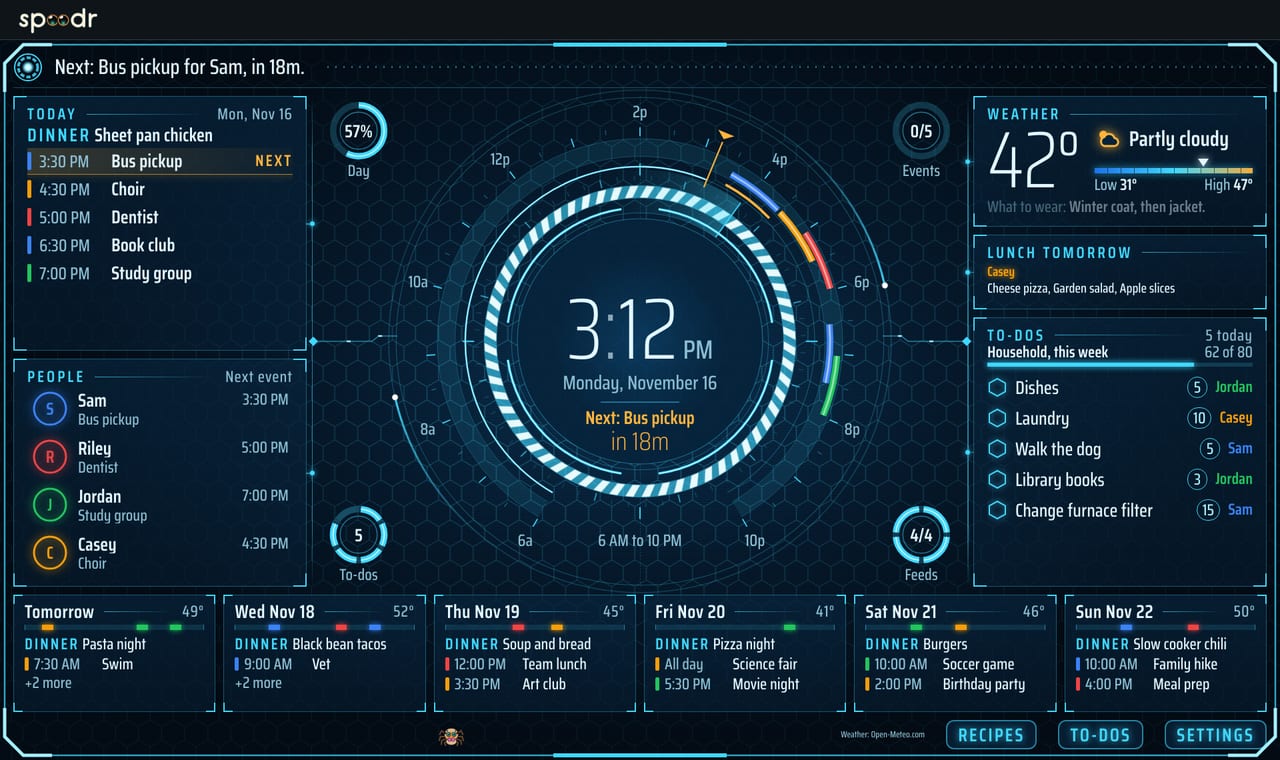
The ATLAS Mode look on the wall, showing today's events, dinner and chores.
ATLAS Mode
The Arcade look on the wall, showing today's events, dinner and chores.
Arcade
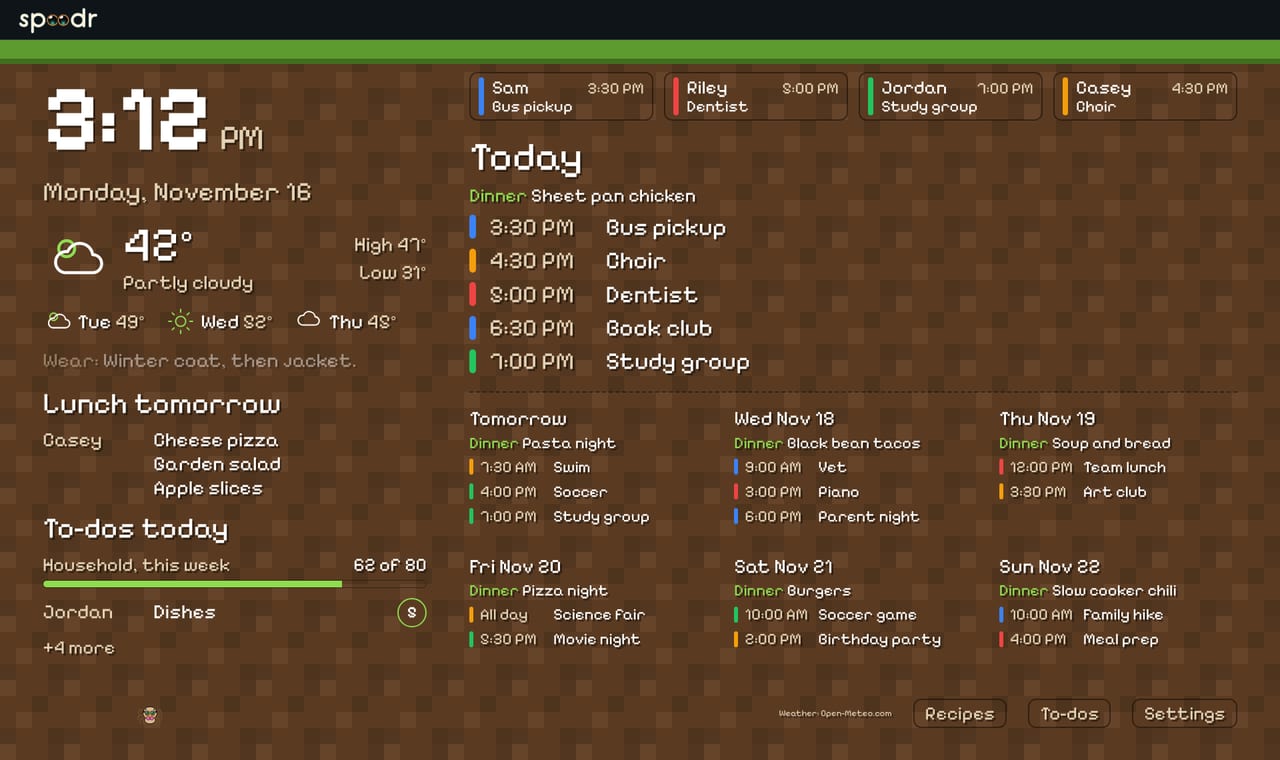
The Blocky look on the wall, showing today's events, dinner and chores.
Blocky
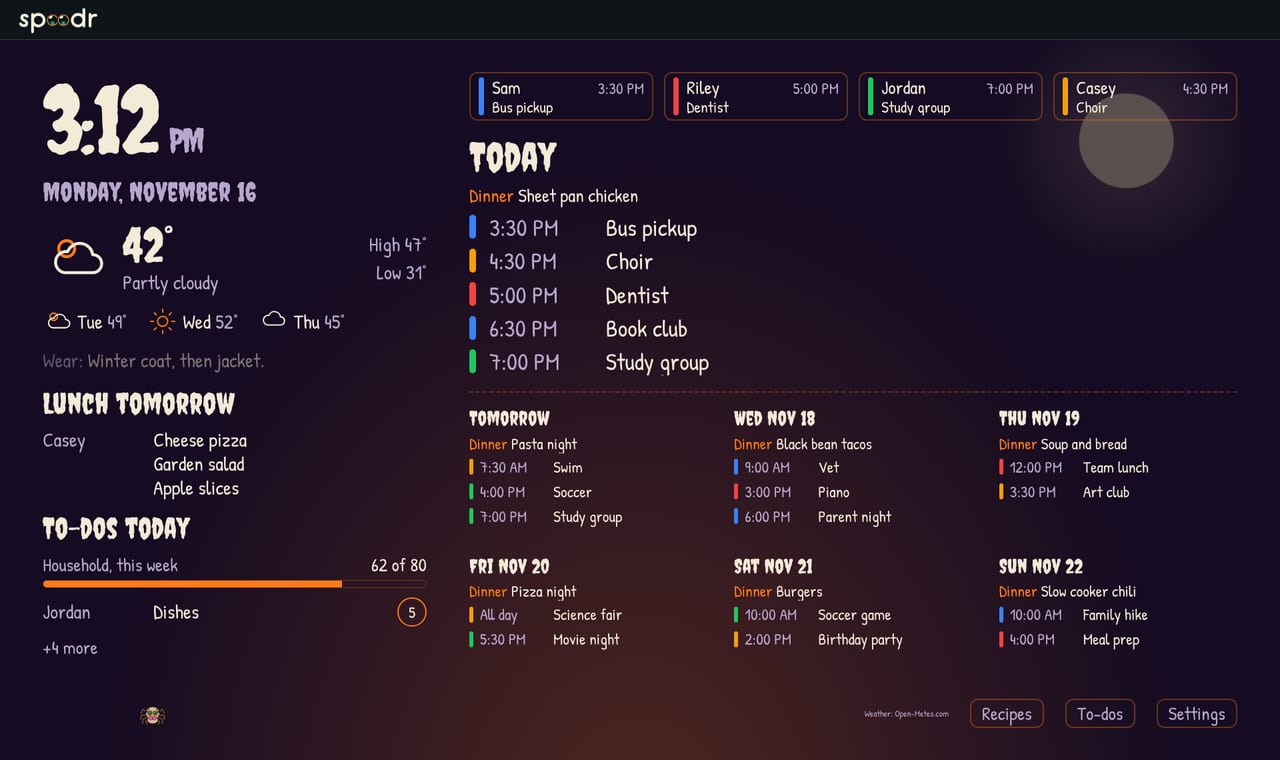
The Halloween look on the wall, showing today's events, dinner and chores.
Halloween
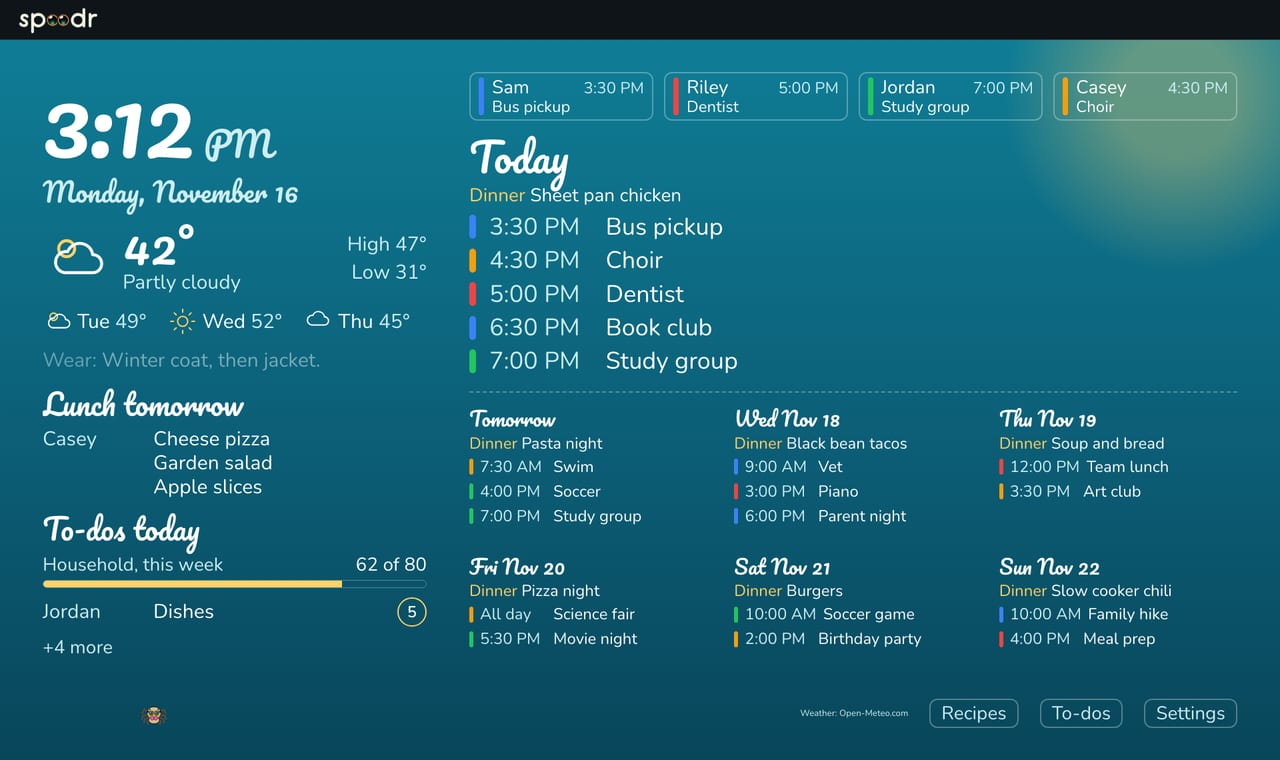
The Summer look on the wall, showing today's events, dinner and chores.
Summer
The Letter board look on the wall, showing today's events, dinner and chores.
Letter board
The Trailhead look on the wall, showing today's events, dinner and chores.
Trailhead
The Work Mode look on the wall, showing today's events, dinner and chores.
Work Mode
The Desktop 95 look on the wall, showing today's events, dinner and chores.
Desktop 95

What other home hubs list and what Spoodr Hub does.

Features of Spoodr Hub and of other home hubs
FeatureSpoodr HubOther home hubs
Show several calendars togetherYesYes
Add any calendar by linkYesYes
A color for each personYesYes
Add events from a photo or a forwarded emailYesYes
Dinner plan on the screenYesYes
Recipe box with import from a web pageYesYes
Chores with points or starsYesYes
Touch screenYesYes
A privacy mode for the screenYesYes
Family members request meals before the plan is madeYesNot listed
School lunch menu from the school's own feedSome schoolsSome take a copy you send in
US weather alerts on the screenYesNot listed
Trash and recycling pickup dayYesNot listed
An idea list with votes and "pick one for us"YesNot listed
Looks to choose from18A theme or a photo background
Runs in a browser as a wall display on a screen you already ownYesTheir own screen or a web app
  • Show several calendars togetherYesYes
  • Add any calendar by linkYesYes
  • A color for each personYesYes
  • Add events from a photo or a forwarded emailYesYes
  • Dinner plan on the screenYesYes
  • Recipe box with import from a web pageYesYes
  • Chores with points or starsYesYes
  • Touch screenYesYes
  • A privacy mode for the screenYesYes
  • Family members request meals before the plan is madeYesNot listed
  • School lunch menu from the school's own feedSome schoolsSome take a copy you send in
  • US weather alerts on the screenYesNot listed
  • Trash and recycling pickup dayYesNot listed
  • An idea list with votes and "pick one for us"YesNot listed
  • Looks to choose from18A theme or a photo background
  • Runs in a browser as a wall display on a screen you already ownYesTheir own screen or a web app

Checked against public product pages on November 17, 2026. Something out of date? Contact us.

What comes next.

Exploring

Student view

A student's class schedule and graded work in one place.

Planned

Grocery list handoff

Send a meal's ingredients to your shopping list app.

Planned

iPhone app

An iPhone app with widgets and push alerts.

What we keep and what we don't.

  • Calendar links and Google access are stored encrypted on the server. They never reach your browser.
  • Spoodr Hub reads events from the calendars you turn on. Your main calendar starts turned on.
  • A wall screen shows your family's information only after an adult pairs it.
  • This site has no ads and loads no scripts from other sites.
  • The waitlist stores your email and the time you joined. Write to hello@spoodr.com to be removed.

Read the full data privacy page.

Questions.

What screen do I need?

A computer, a tablet or a wall display that runs a web browser.

Do you sell a screen?

No. Spoodr Hub is software. You bring the screen.

What does it cost?

Not decided yet. Joining the waitlist is free.

When does it open?

Not decided yet. We write once when it opens.

Can I sign up now?

Not yet. Sign-in is by invitation.

Who can see my family's information?

The people an adult adds to your household. Kids see less than adults. A house helper sees only what an adult shares. A wall screen shows information after an adult pairs it. The services that run Spoodr Hub handle it too. Some server tasks and Spoodr Hub's own admin pages can read across households. The data privacy page lists the services.

Email me when Spoodr Hub opens!

We will never sell your email.